
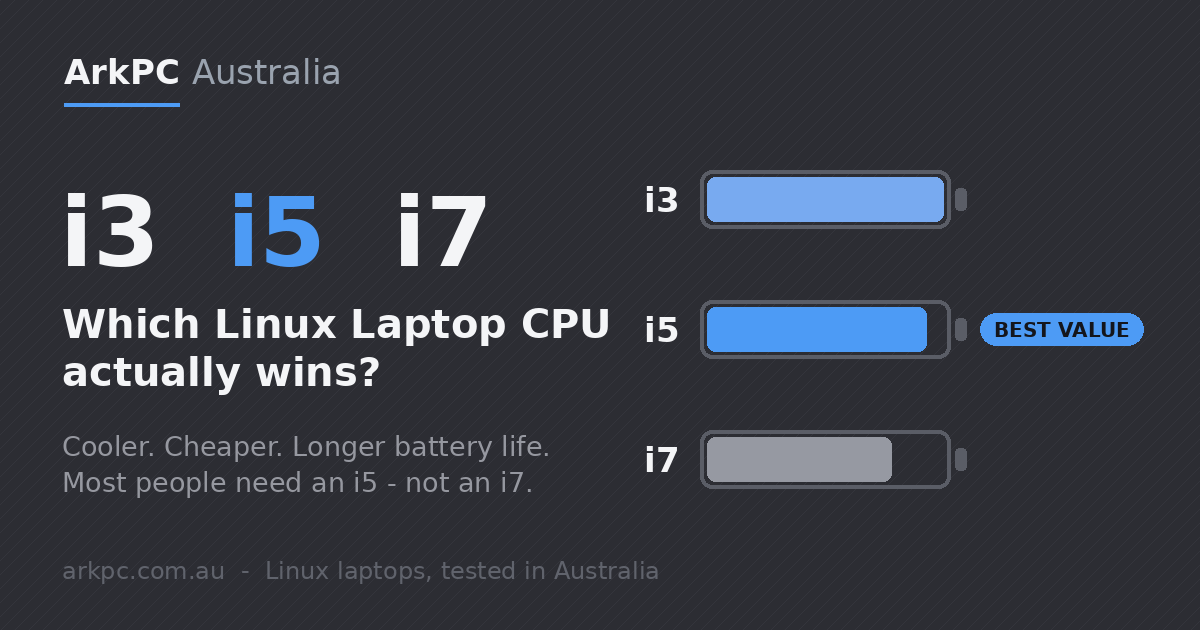
Choosing a Linux Laptop almost always comes down to one nervous question: i3, i5 or i7? Most people instinctively reach for the i7 because it sounds like the best — but in a laptop, the most expensive chip is rarely the smartest buy. This guide breaks down what each Intel tier really does, the good and the bad, and why an i5 (or even an i3) Linux Laptop is the right choice for the vast majority of people.
The short answer for Linux Laptop buyers
For everyday computing — web, email, documents, video and dozens of browser tabs — an i5 Linux Laptop is the sweet spot: fast enough for almost everything, yet cooler, cheaper and longer-lasting on battery than an i7. If your work is light and you care most about battery life and silence, an i3 Linux Laptop will happily go the distance. An i7 only truly earns its premium in sustained heavy workloads — and in a thin laptop it often cannot even stretch its legs.
What i3, i5 and i7 actually mean — the good and the bad
Intel Core i3 — light, cool and frugal
The good: low power draw, very little heat, near-silent operation and the longest battery life of the three. For browsing, email, office work, streaming and video calls it feels perfectly quick. The bad: fewer cores and lower clocks mean it can lag in heavy multitasking, big spreadsheets or photo and video editing. For a light, long-lasting machine, an i3 is genuinely underrated.
Intel Core i5 — the sensible all-rounder
The good: the best balance of speed, heat, price and battery. An i5 handles serious multitasking, dozens of tabs, office and creative apps and everyday work without breaking a sweat. The bad: honestly, very little for normal use — which is exactly why an i5 Linux Laptop is what we recommend to most buyers.
Intel Core i7 — power you may never use
The good: higher clocks and more cache help with sustained, demanding jobs — long video exports, heavy compiling, big data sets. The bad: it costs more, runs hotter, spins fans more often and drains the battery faster. In a slim laptop it frequently throttles back to the same real-world speed as an i5 anyway — so you pay for headroom you rarely get to use.
The laptop twist: why an i7 gains so little
Here is the part the marketing never mentions. In thin and light laptops, the popular low-power i5 and i7 chips usually share the same number of cores and the same power limit (commonly around 15 watts). The i7 simply advertises a higher top speed and a bit more cache. But when both are squeezed into the same power and cooling budget, the i7 has to swing its clock speeds up and down to stay in budget, while the more efficient i5 holds a steadier, higher average. The result: in everyday tasks the two are often neck and neck — and sometimes the i5 is the faster-feeling machine. You are paying a premium for a number on a sticker, not for usable speed.
Battery life: where i3 and i5 pull ahead
Battery is the clearest win. A higher-powered chip reaches for higher clock speeds, draws more current and produces more heat — all of which eats into runtime. For light tasks the three tiers are close, with the i3 nudging ahead. But the moment you put the laptop to work, the gap opens up. In independent testing, an i5 has delivered close to 9 hours on a mixed workload where the equivalent i7 managed under 8 — and on browser-heavy tests the i5 outlasted the i7 by more than an hour. For a machine you actually carry around, the lower tier is the longer day.
Relative battery life on a typical mixed workload
Illustrative, based on independent laptop battery testing. Real figures vary by model, screen and settings.
A quick side-by-side
| Tier | Best for | Battery | Heat / noise | Value in a laptop |
|---|---|---|---|---|
| i3 | Browsing, email, office, streaming, light study | Longest | Lowest, quietest | Excellent for light, all-day use |
| i5 | Everyday multitasking, work, study, most creative apps | Long | Low to moderate | Best all-round choice |
| i7 | Sustained heavy editing, compiling, large data sets | Shortest | Highest | Only worth it for heavy, sustained work |
Where Linux changes the equation
There is one more factor most buyers miss. A clean, lean Linux system asks far less of the processor than a heavy, bloated factory operating system stuffed with background services and telemetry. On Linux, an i5 — or even an i3 — has more headroom to spare, runs cooler and stretches the battery further. It is also why a well-chosen Refurbished Linux Laptop with an i5 can feel genuinely fast today: the bottleneck on older machines was almost always the heavy software, not the chip. Pair an efficient processor with a tuned Linux install and you get a quick, quiet, long-lasting machine for a fraction of the price of chasing an i7.
So which Linux Laptop should you buy?
- Most people: an i5 Linux Laptop. It is more than capable for everyday work, stays cool, and lasts longer on battery than an i7 — for less money.
- Light, all-day use: an i3 Linux Laptop. Quiet, frugal and the best battery life for browsing, office and streaming.
- Sustained heavy work only: an i7 — but be honest about whether you will really use it, because in a slim laptop you often will not.
At ArkPC we build every machine on Linux, tested and configured in Australia, so you get the most out of whichever tier you choose. Browse our Refurbished Linux Laptop range for outstanding value, or a Brand New Linux Laptop if you want the latest hardware — and if you are unsure which CPU suits you, just ask us. Nine times out of ten, the answer is a capable, well-configured i5.